
How to Write Prompts for AI Image Models
Good AI image prompts read like a brief, not a keyword list. A five-part template, plus how to handle text, edits and negative prompts.
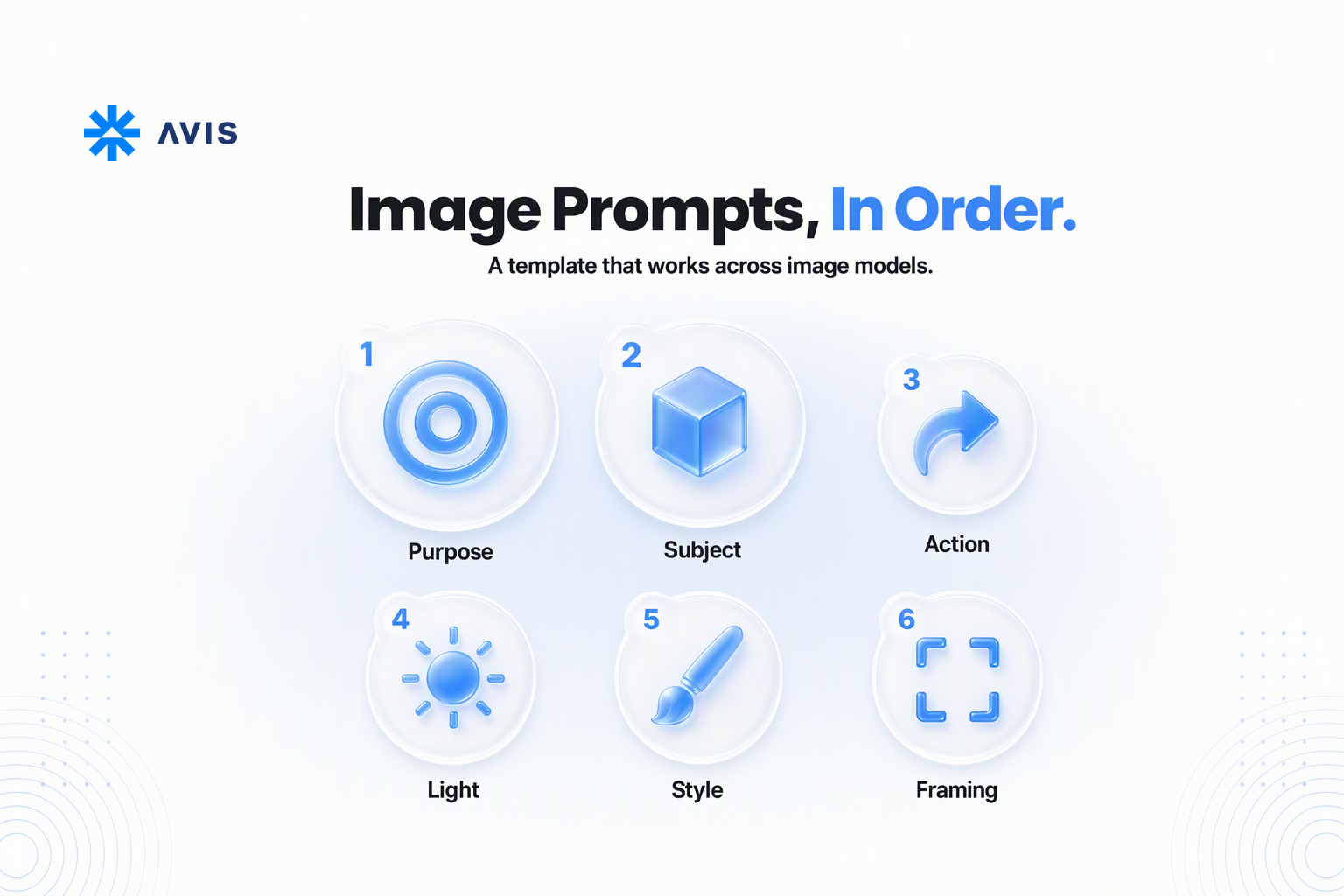
Most AI image prompts fail in one of two ways: they're too thin, so the model fills every gap with its most generic guess, or they're a pile of keywords in no particular order, so the model picks the few it notices first. Good AI image prompts read more like a short creative brief: who or what is in the picture, what's happening, where, in what light, in what style, and how it's framed. This guide gives you a five-part template that works across image models, shows what belongs in the API call instead of the prompt, and covers text, edits, reference images and negative prompts. If you're working with video, our guide to writing prompts for AI video models covers the extra rules for motion.
Why AI image prompts go wrong
AI image prompts usually go wrong because the model has to guess. When a prompt says "a coffee shop," the model chooses the angle, the light, the people, the colours and the style for you, and it chooses the most average version of each. The result looks fine and says nothing.
The second problem is order. Image models don't weigh every word equally. One major provider's guide states it directly: the model pays more attention to what comes first. A prompt that opens with "cinematic, 4k, trending, beautiful lighting" and mentions the subject at the end is spending the model's attention on the wrong words.
The third problem is putting settings in prose. Size, aspect ratio and the number of images are request parameters on most APIs, and describing them in the prompt is unreliable at best. Here's the split:
| Set it in the API request | Describe it in the prompt |
|---|---|
| Output size or aspect ratio | The subject and what it's doing |
| Number of images | The setting, time of day and light source |
| Prompt adherence (guidance scale), where supported | The visual style and medium |
| Output format and transparent background | Composition, framing and camera angle |
| Quality or resolution tier | Exact text to render, in quotes |
| Reference images and their order | What each reference image is for |
One exception worth knowing: some models return fewer images than you request. The AVIS image generation endpoint has a numberOfImages field (1 to 15), and its documentation recommends also stating the number of pictures in the prompt text for exactly this reason.
Supported fields differ by model, too. A guidance scale that one model honours, another ignores. Rather than hardcoding one model's limits, read them per model from the model list endpoint, which returns each model's accepted parameters under capabilities.
A five-part template for AI image prompts
A reliable AI image prompt covers five things, in this order: subject, action, setting and light, style, and composition. The four prompting guides from model providers and platforms we reviewed for this article all use a version of this order, so a prompt built this way transfers between models with less rework than a keyword list.
The template
- Subject. Who or what is in the picture, with the two or three details that matter. "A ceramic pour-over coffee dripper, matte white, with a thin copper rim."
- Action or pose. What the subject is doing, or how it's arranged. "Hot water is being poured into it from a gooseneck kettle, steam rising."
- Setting and light. Place, time of day, the main light source and a short colour palette. "On a walnut counter by a window, early morning, soft side light, palette of cream, copper and dark wood."
- Style. The medium and texture, described rather than borrowed from a named artist. "Photorealistic product photograph, shallow depth of field, natural texture on the ceramic."
- Composition. Framing, angle and where things sit. "Close-up at a slight high angle, dripper centred, empty space on the left for a headline."
If the image has a purpose, say it at the start: "a hero image for a coffee brand's product page" sets the level of polish better than any list of quality words. One provider's guide recommends exactly this, along with writing ads the way you'd write a creative brief.
Weak vs strong: the same idea, rewritten
Weak: "coffee, aesthetic, 4k, masterpiece, cinematic lighting, trending"
Strong: "Hero image for a coffee brand's product page. A matte white ceramic pour-over dripper with a thin copper rim, hot water being poured into it from a gooseneck kettle, steam rising. On a walnut counter by a window in early morning, soft side light, palette of cream, copper and dark wood. Photorealistic product photograph, shallow depth of field. Close-up at a slight high angle, dripper centred, empty space on the left."
The strong version is about 70 words. Every phrase makes a decision the model would otherwise guess at, and nothing is there just to sound impressive.
Length and word order
Most image prompts work best between 30 and 80 words. One provider's guide suggests 10 to 30 words for quick concepts, 30 to 80 as the usual target and 80 or more only for complex scenes. Another says prompts don't need to be long or complex, just descriptive and clear. Past a point, extra words add conflicting instructions rather than control.
Put the important things first: subject, then action, then the critical style choice. Secondary details go last, where it matters less if the model skips them.
Prose, tags or JSON?
Plain sentences are the safest default. The guides we reviewed accept prose, short labelled segments and JSON-like structures, as long as the intent is clear, and one provider says its model understands prose and JSON equally well. JSON earns its place in production, where code assembles the prompt from fields and you want to change one element without rewriting the rest. For exploration, prose is quicker to edit.
Text, edits, reference images and negative prompts
The template covers a single generation from scratch. Text, edits, multiple reference images and exclusions each need small additions, and this is where models differ most.
Getting text right
Put any text you want rendered in quotation marks, then describe its font style, size, colour and placement. "The headline 'MORNING POUR' in bold condensed sans-serif, cream, top left." For an unusual word or brand name, one provider suggests spelling it out letter by letter.
Keep it short. One provider's guide puts the reliable limit at 25 characters or fewer, in no more than two or three phrases, and another guide at three to five words. Longer text tends to break. Small or dense text also improves at higher quality or resolution settings, so test those tiers before you blame the prompt.
Editing an image without changing everything
When you edit, describe the change, not the whole image. Pass the source image, say what should change, and say what must stay the same: "Change only the mug colour to deep green. Keep the background, lighting, framing and the hand exactly the same." One provider recommends repeating that "keep" list on every follow-up edit, because details drift a little with each pass. If you leave the source image out, the model may generate a new image from scratch.
Using several reference images
Refer to each image by number and say what it's for: "Use the product from image 1, the lighting and colour grade from image 2, and the kitchen from image 3." Without that, the model has to guess which parts of each reference matter. The number of references a model accepts varies widely, and some models count reference images and outputs against one shared limit, so check the model's capabilities before building a feature around a fixed number.
For consistency across a set (the same character or product in many scenes), reuse one clear, well-lit reference image and repeat the same short description of the subject in every prompt. Our guide to keeping characters consistent across an AI series goes further on this.
Negative prompts: describe what you want instead
The safest way to exclude something is to describe the result you want. "An empty street at dawn" is more reliable than "a street, no people", because the word you're trying to exclude is still in the prompt. This is also the area where providers disagree most:
| Approach | What to do |
|---|---|
| Model has no negative prompt | Rephrase every exclusion positively: "sharp focus throughout," not "no blur" |
| Model has a separate negative field | List unwanted things there as plain nouns: "text, watermark, extra fingers" |
| Either way | Keep "no" and "don't" out of the main prompt where you can |
Check whether the model you're calling has a negative-prompt field before relying on one.
How to build image prompts into an app
In an app, the prompt is usually assembled by your code, not typed in full by the user. That changes the job: you're designing a template that turns a short user request into a complete brief, and you need a way to test it without overspending.
Use a template with placeholders
Write the five-part template once, with placeholders for the parts the user controls:
{purpose}. {subject}, {action}. {setting}, {lighting}, palette of {colours}.
{style}. {composition}.
Let users pick style, lighting and composition from short menus, and keep free text for the subject. One provider's guide recommends this pattern for exactly this reason: a constrained set of choices keeps every prompt inside a structure the model handles well. A text model can expand a short free-text subject into the subject and action slots, but keep the expansion inside your template rather than letting it rewrite the whole prompt.
Test across models, one change at a time
The same prompt won't look the same on two image models. Treat each model as a separate target: run a fixed set of test prompts, save the outputs, and change one thing per run, whether that's a word, the style line or the guidance scale. If you change three things at once, you won't know which one helped. Our four-step method for choosing an AI model covers how to build that test set.
Because AVIS sends every image model through the same image generation endpoint with the same request body, comparing two models is a change to the model field rather than a second integration. Prompts still need tuning per model. The plumbing doesn't.
Keep iteration costs down
Each image costs money, and requesting several per call multiplies it. Explore with a few images per request and lower quality settings, then generate the final version at production settings once the prompt is right. Before each new configuration, send the same body to POST /api/v1/image/estimate: it returns the expected cost without deducting anything. Estimates are free and system-side failures aren't charged, per our pricing guide.
If you'd rather iterate visually, the Image Node in AVIS Creative Studio puts the model, aspect ratio, resolution, number of outputs, prompt and reference images in one panel and shows the estimated cost before you generate.
FAQ
How long should an AI image prompt be?
Between 30 and 80 words is a good target for most images. Shorter prompts work for quick concepts but leave more to the model's defaults, and prompts past 80 words are worth it only for complex scenes. Put the subject first, because at least one major model gives the most weight to the start of the prompt.
What should an AI image prompt include?
Cover five things in order: the subject, what it's doing, the setting and light, the style, and the composition. If the image has a purpose, such as a product page hero or an app icon, state it at the start. Set size, aspect ratio and image count as API parameters rather than in the prompt text.
How do I get AI to render text correctly?
Put the exact text in quotation marks and describe the font style, size, colour and placement. Keep it short, roughly 25 characters or a few words, because longer text is more likely to come out misspelled. Higher quality or resolution settings help with small text.
Do negative prompts work?
It depends on the model. Some image models have no negative prompt at all, and others accept a separate field for unwanted elements. On any model, describing what you want ("an empty street") is more reliable than writing "no people" in the main prompt.
Why does my prompt work on one model and not another?
Models are trained differently, weigh words differently and support different parameters. A prompt tuned on one model is a starting point on another, not a finished prompt. Keep a fixed set of test prompts and adjust per model, changing one thing at a time.
How do I keep the same character across images?
Use one clear reference image of the character and pass it with every request, then repeat the same short description of the character in every prompt. When you edit, list what must stay the same each time. Small details drift less when the reference and description never change.
Wrapping up
Good AI image prompts read like a brief: subject first, then action, setting and light, style and composition, with size, image count and output format set in the request. Quote any text and keep it short, describe edits as changes plus a "keep" list, and say what each reference image is for. If you want to test one template across several image models, AVIS gives you one API key, one image endpoint and a free cost estimate before every run.
Last updated: October 2026